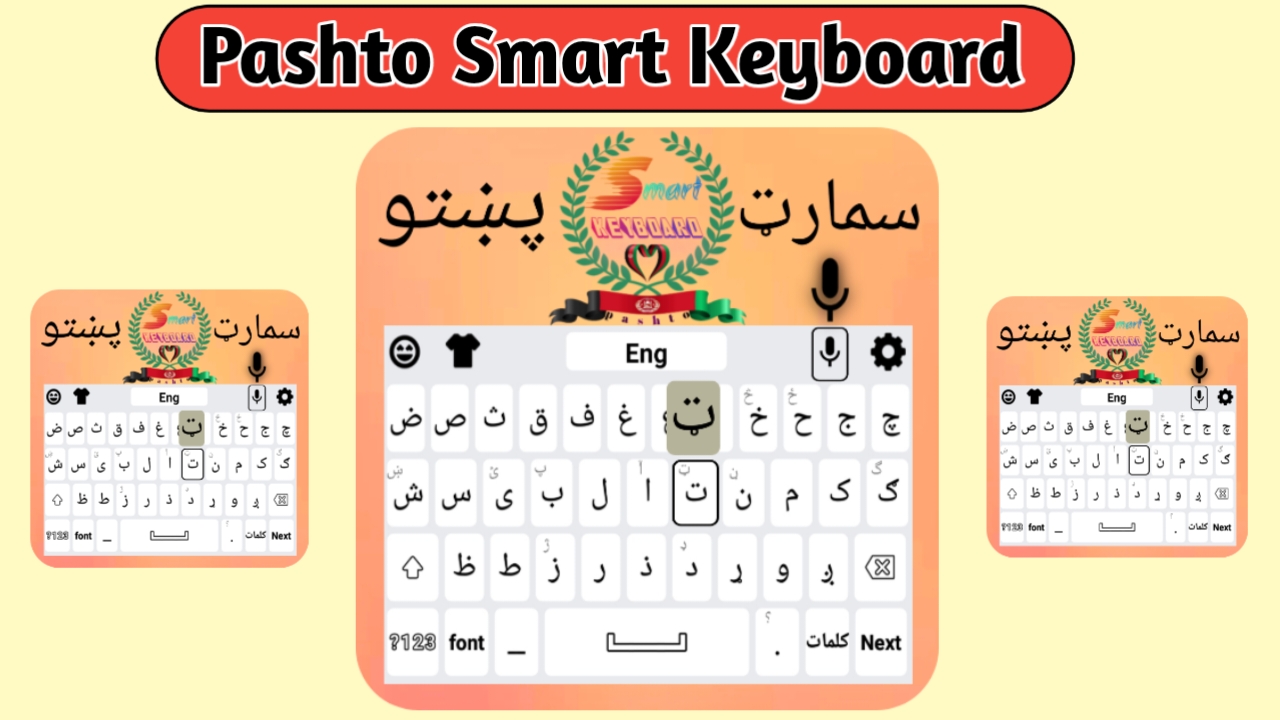
With smartphones now part of everyday life, people expect to communicate quickly and comfortably in their own language. For Pashto speakers, typing in Pashto used to be a challenge—until now. The Pashto Smart Keyboard for Android brings a smooth, efficient, and user-friendly typing experience tailored specifically for the Pashto language.
If you’re searching for an easy way to write in Pashto on your Android device, this article will guide you through what this keyboard offers, how it works, and why it stands out.
Introduction to Pashto Smart Keyboard
Pashto Smart Keyboard is a mobile keyboard app developed for Android users who want to type in Pashto without difficulty. It features a complete Pashto letter layout, typing suggestions, spelling correction, and even voice input. Whether you’re chatting with friends or posting on social media, this keyboard makes writing in Pashto both quick and natural.
There’s no need to switch between multiple keyboards. Once installed, you can use it across all your apps.
Top Features of Pashto Smart Keyboard
Full Pashto Layout
The keyboard provides a complete Pashto alphabet layout, designed for both beginners and fluent speakers. It supports multiple writing styles, including common scripts used in Afghanistan and Pakistan.
Intelligent Word Suggestions
As you type, the keyboard suggests the most likely next words. This not only speeds up your typing but also reduces the effort of spelling out long words.
Auto-Correction
Frequent typos and spelling mistakes are automatically corrected, helping you write more clearly and professionally.
Voice Typing
If you prefer speaking over typing, simply tap the mic icon, speak in Pashto, and your voice will be converted into text. It’s perfect for quick messages or longer notes when typing isn’t convenient.
Emojis and Stickers
Modern communication isn’t complete without emojis and stickers. This keyboard includes plenty of both, helping you express emotions and reactions without needing another app.
Theme and Style Customization
You can personalize the keyboard’s appearance to suit your style. Choose from a variety of themes, colors, fonts, and backgrounds. Whether you like a dark mode or something colorful, it’s all available.
Easy Language Switching
Need to switch between Pashto, English, or even Urdu? One tap is all it takes. You can add multiple languages to the keyboard and switch smoothly without delay.
Lightweight and Fast
Despite all its features, the app is small in size and optimized to run smoothly, even on older Android phones.
Why You Should Use It
Using Pashto Smart Keyboard gives you more than just the ability to type. It empowers you to:
Express Yourself in Your Native Language: Whether you’re messaging friends or writing formal content, do it confidently in Pashto.
Type Faster and Smarter: With predictive text and corrections, typing becomes quicker and more efficient.
Learn and Improve: New learners of Pashto can practice and build confidence in spelling and sentence structure.
Keep Pashto Alive Digitally: By using Pashto in digital communication, you’re supporting your language in the modern world.
How to Install the Keyboard on Android
Installing the Pashto Smart Keyboard is simple:
- Open the Google Play Store on your Android phone.
- Search for “Pashto Smart Keyboard.”
- Select the app from the results and tap Install.
- Once downloaded, open the app and follow the steps:
Enable the keyboard in your phone’s settings.
Set it as your default keyboard.
Pick your theme and start typing.
Now you can use it in all your apps—whether it’s WhatsApp, Facebook, Gmail, or any browser.
Typing Tips for Best Results
Use word suggestions to save time and effort.
Enable auto-correction to avoid common spelling mistakes.
Customize the look to your taste—it helps with ease of use.
Add other languages if needed and switch between them easily.
Type regularly to improve speed and confidence.
Frequently Asked Questions
Is the keyboard free?
Yes, it’s free to use. Some additional themes may be available through optional purchases.
Will it work on my phone?
If your phone runs Android 5.0 or newer, it will work smoothly.
Can I use it without the internet?
Yes. The basic typing features work offline. Voice typing and some smart suggestions may require a connection.
Is English typing supported?
Yes, the keyboard supports multiple languages, and you can switch between them anytime.
Is my data safe?
The keyboard doesn’t collect your personal typing data. Still, it’s good practice to check the app’s privacy policy before use.
Final Thoughts
Pashto Smart Keyboard is more than just a typing tool—it’s a bridge between tradition and technology. It helps you write in your native language with speed, clarity, and confidence. Whether you’re using it for everyday chats or professional messages, it’s a must-have for any Pashto speaker using Android.
Download the app from the Google Play Store and enjoy effortless Pashto typing, every day.


